

Before you begin:
- Each user sets their own commission rate individually in My Profile settings — this is not an account-wide setting.
- Your commission rate applies to all won deals by default. To apply different rates per deal, you can create a custom field for commission rate and lock it so that team member and manager users cannot edit it.
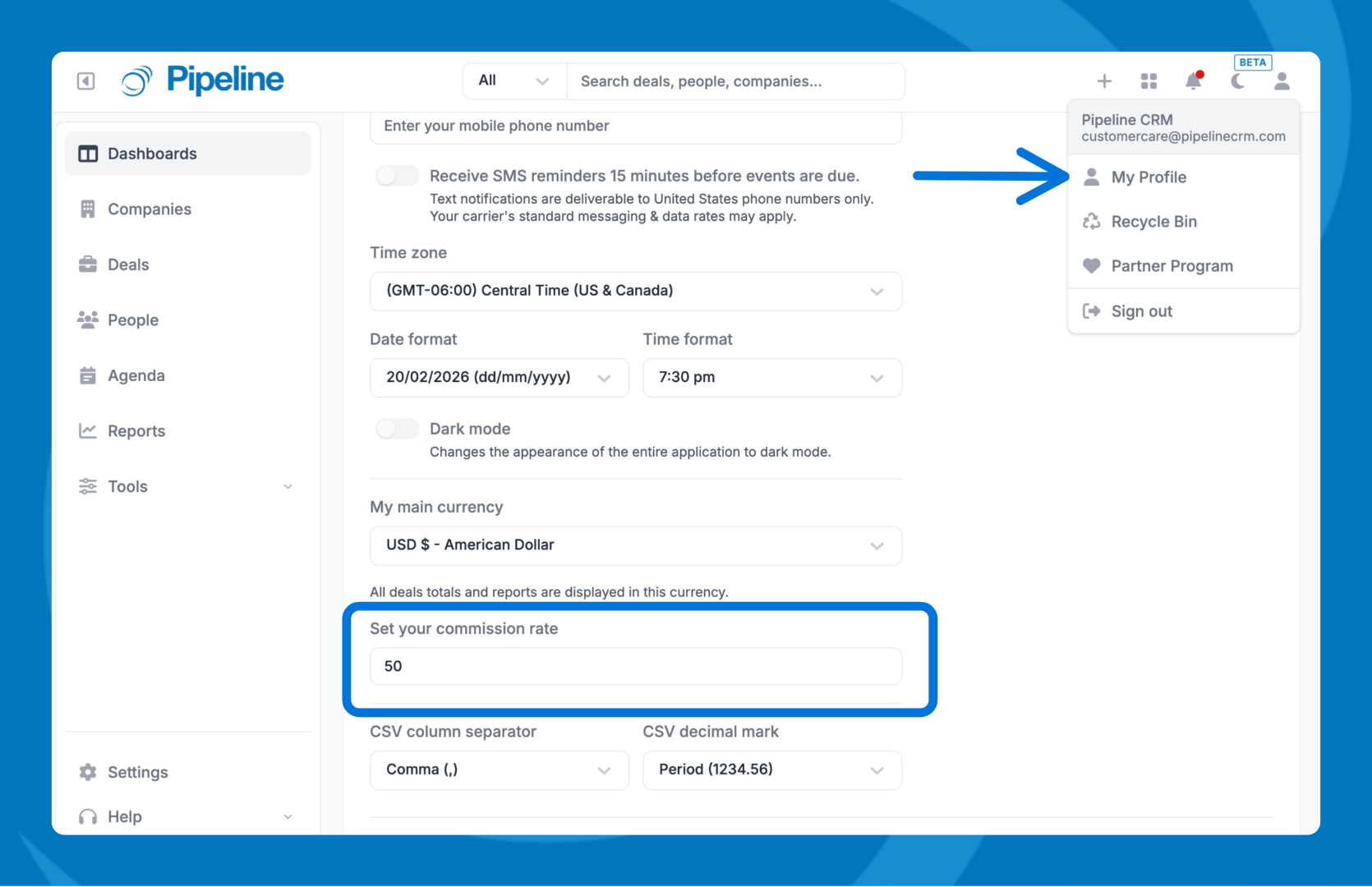
- Go to My Profile.
- In the General tab scroll down and set your commission rate.
- Save changes.
View commission amounts on your deals:
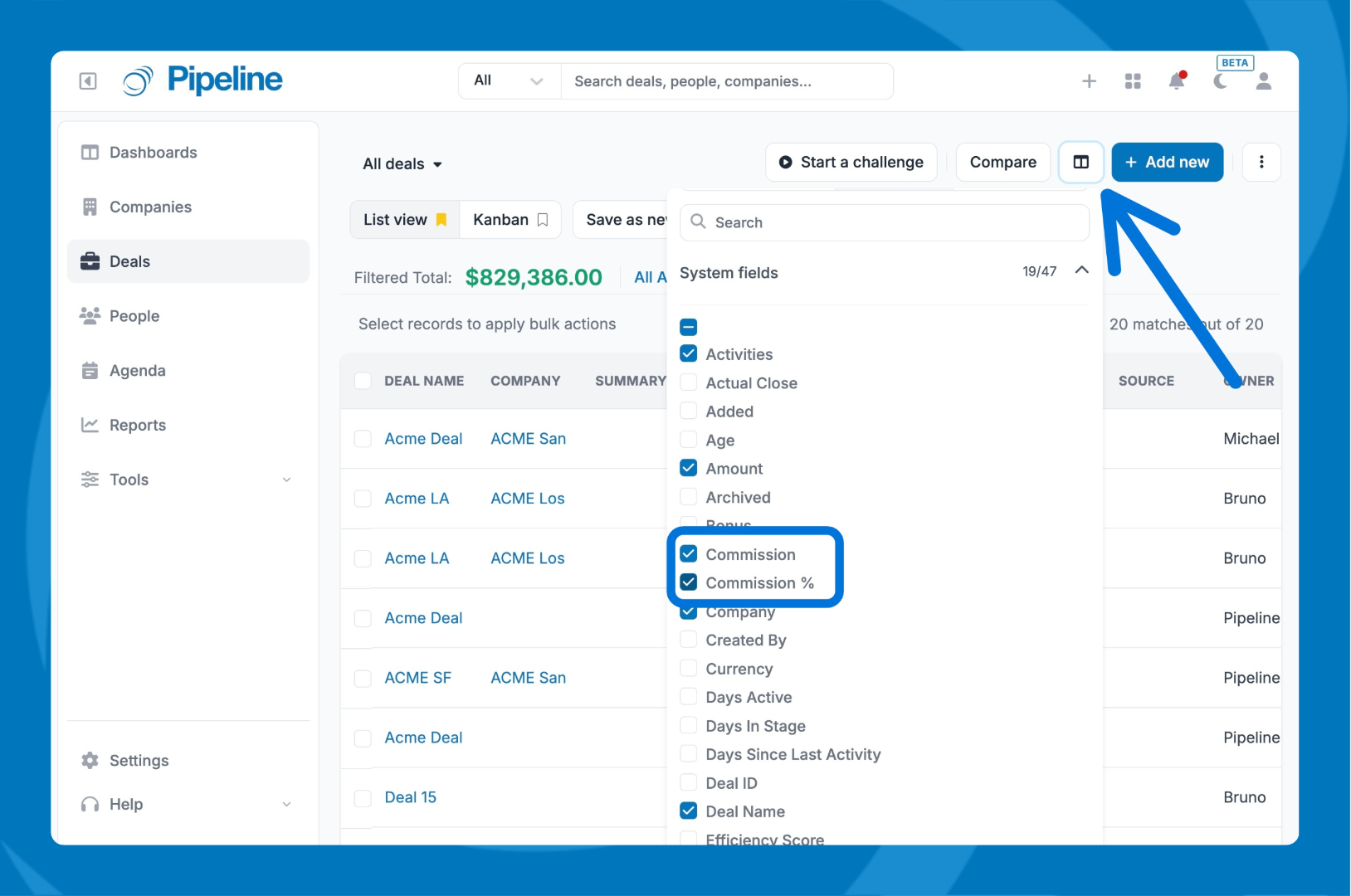
- Go to the Deals tab.
- Click the Columns icon
- Under System Fields, select Commission.
- The Commission column will now appear in your deals list.
- Save list if needed.
Need help? Contact support at [email protected].