

Access notifications for Events and Tasks from your profile:
- Click Profile (top right) → My Profile → Notifications.
- Scroll to the General section to configure Event reminders and Task assignment alerts.
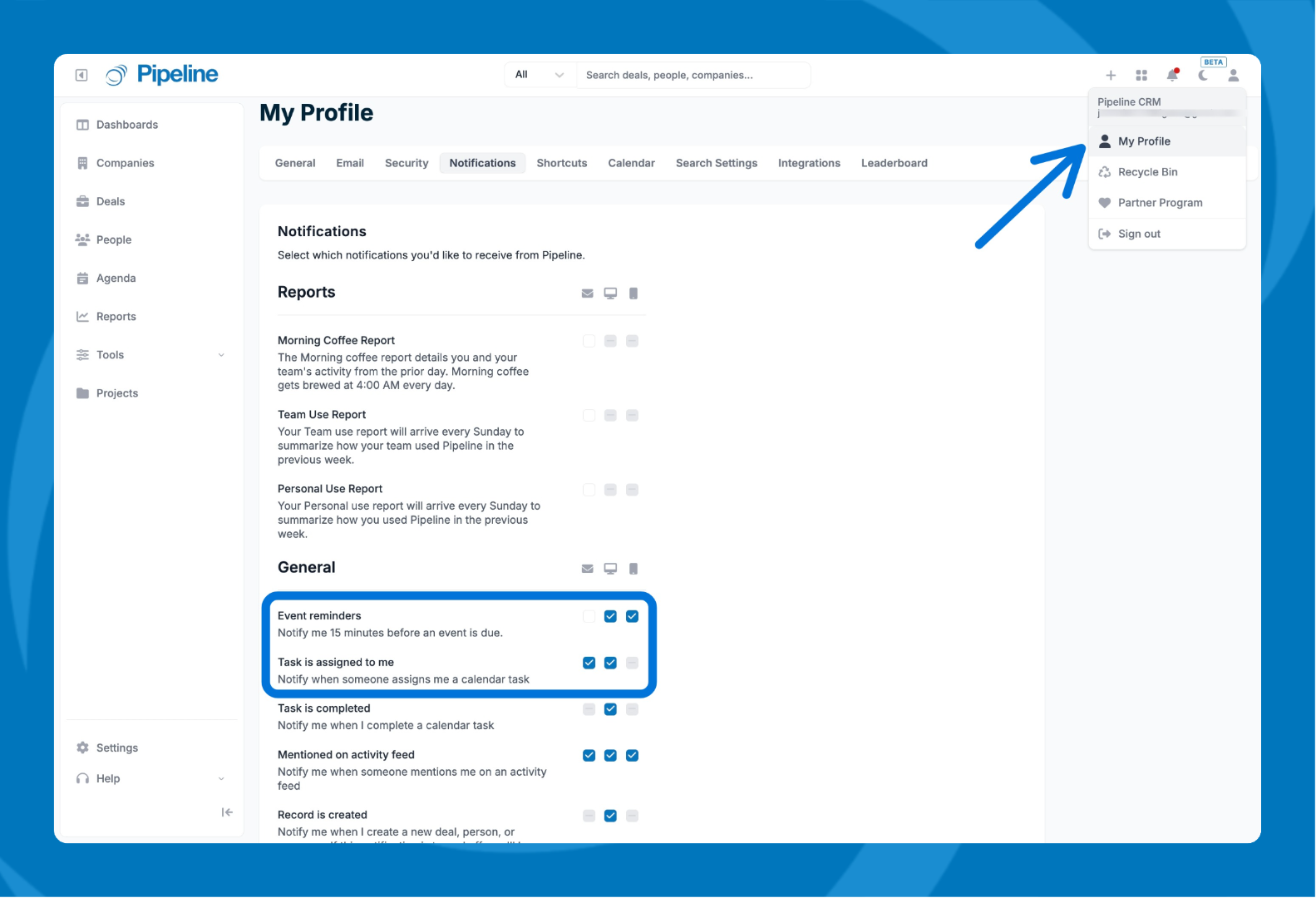
Event Reminders: Enable to set timing to 15 minutes before (you can adjust this anytime). You can select between Desktop and/or Mobile app notifications.
Task assignment alerts: Be notified instantly when a task is assigned to you.
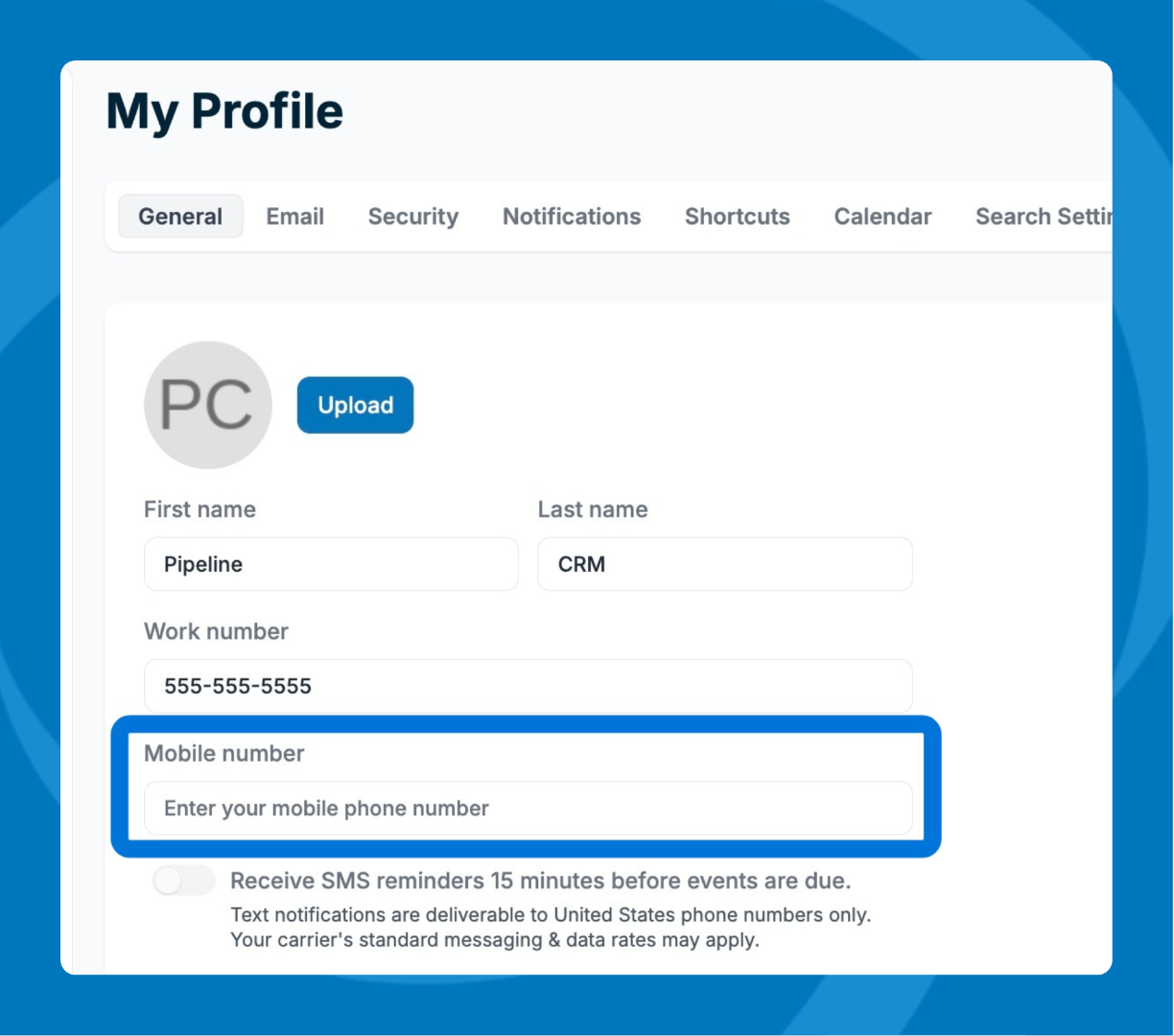
SMS reminders for events: If you use a US or Canada–based mobile number, you can add it under My Profile → General → Mobile Number. You’ll then receive a text message reminder 15 minutes before each event starts.
Advanced Reminders
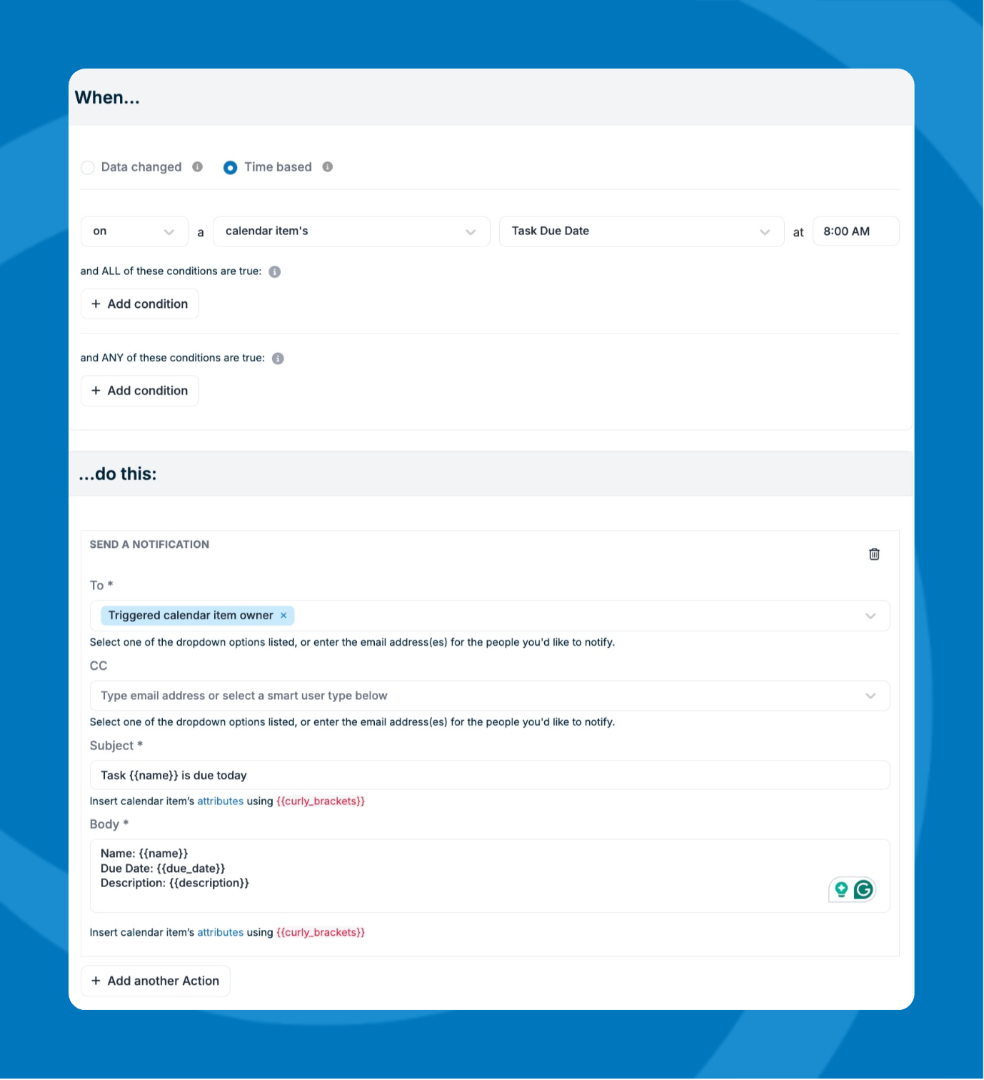
For more advanced email options and customization, your account admin can set up a time‑based automation.
Here is more information on how to create an automation.
Below is an example of what that automation setup could look like:
Need help? Reach out to our support team at [email protected].