

You can also use filters to quickly narrow the feed down to exactly what you need (emails, activities, system updates, and more). 
Where to Find the Activity Feed
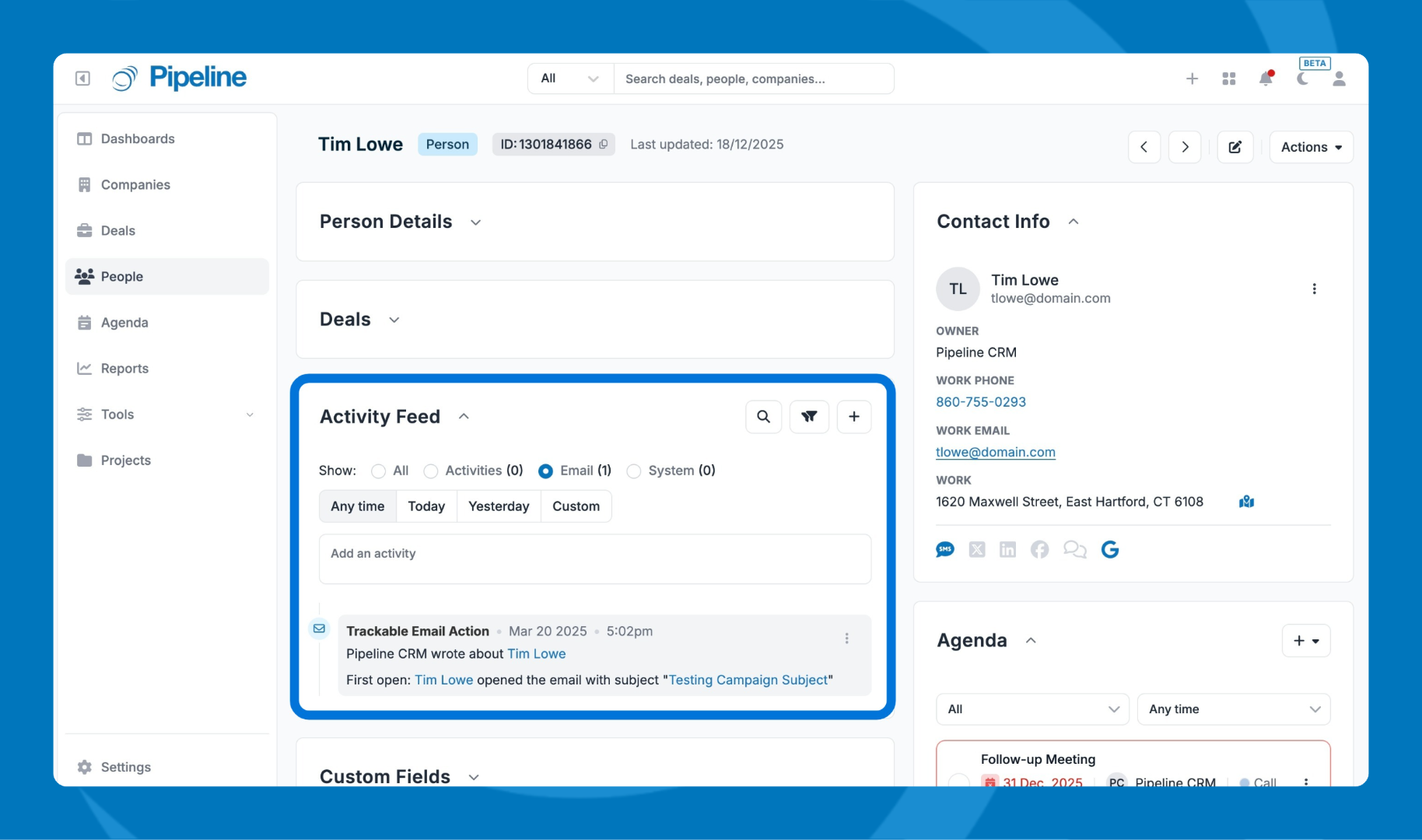
You’ll see the Activity Feed tile on a record’s profile view.
Filtering
By Activity Type
At the top of the feed, use Activity Type filters to switch between different kinds of updates: 
- All — shows everything
- Activities — shows logged activities (including your custom activity types like calls, voicemails, etc.)
- Email — shows emails and tracked email actions (like opens and clicks)
- System Updates — shows system-generated changes (like deal stage changes or when a company is converted to a customer)
Use Time Period to find activity from:
- Any time
- Today
- Yesterday
- Custom 
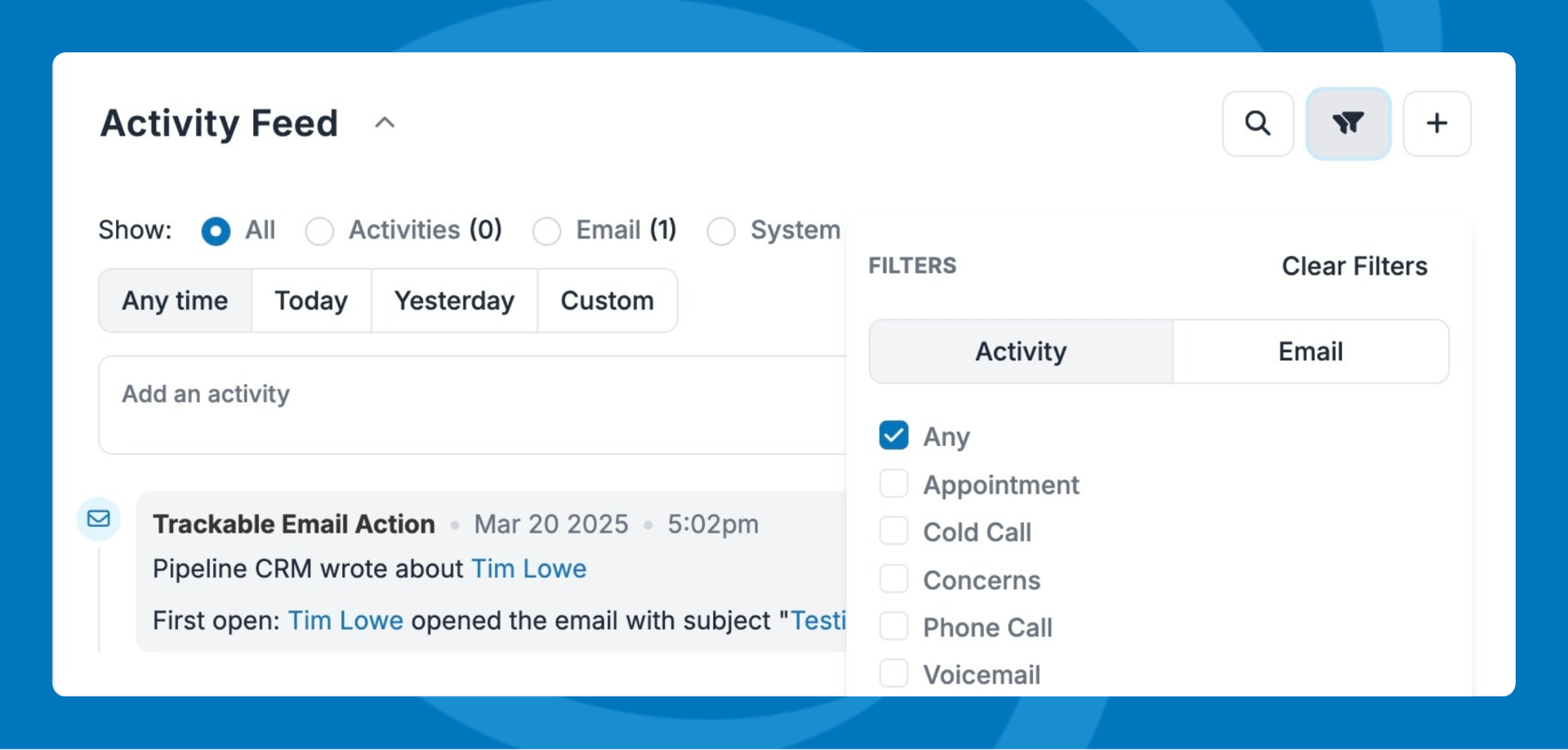
Click the filter icon to showcase the activity categories. System categories are:
- CalendarEvent
- CalendarTask
- Deal
- Trackable Email Action
- Customer
- Company
- Person
- Instant Doc
- Esign
Need help? Contact support at [email protected].