

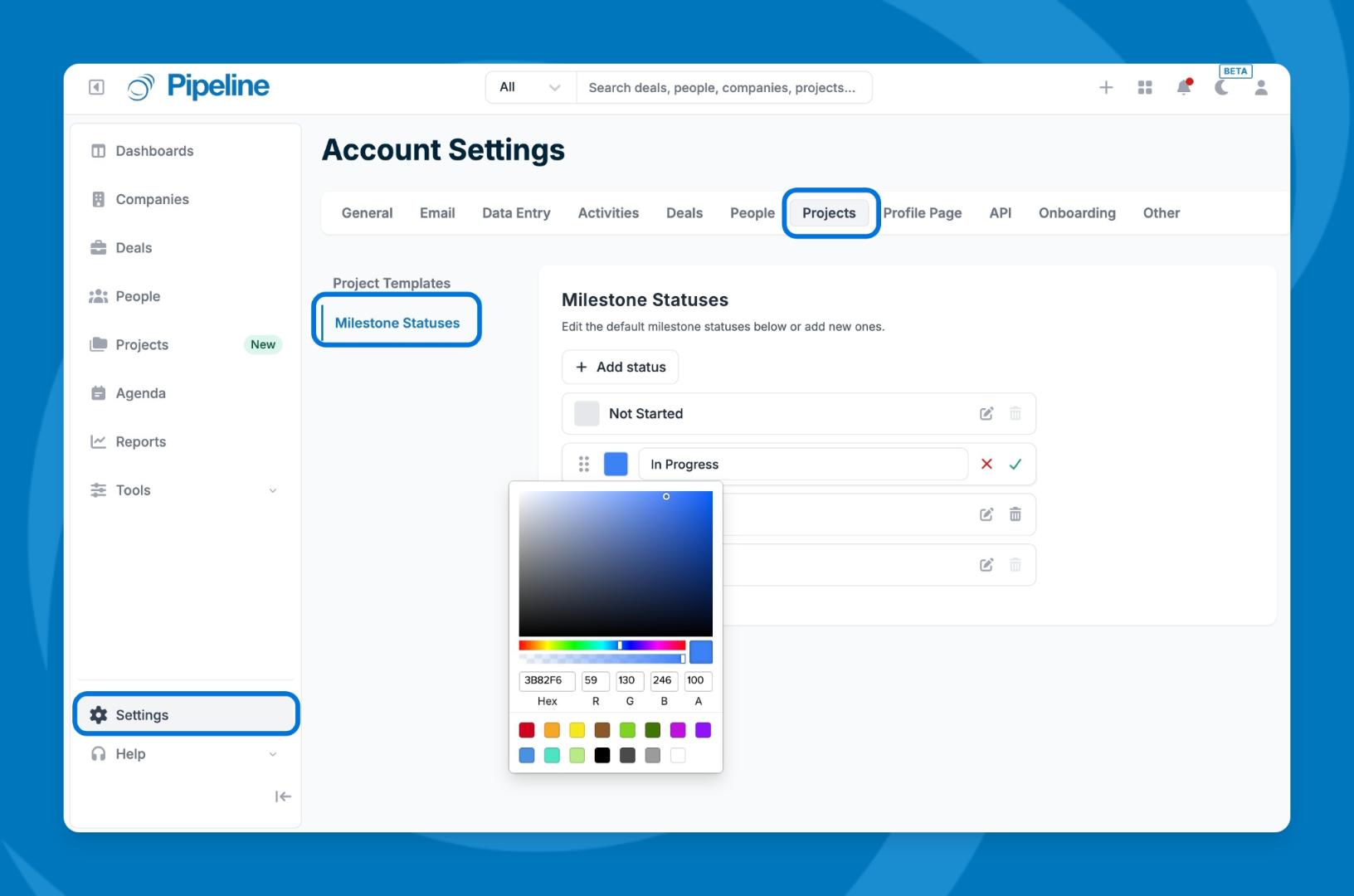
- Go to Settings in the lower-left corner.
- Click the Projects tab.
- Select Milestone Statuses.
- To edit an existing status, click the edit icon next to it, update the name or color, then click the green checkmark to save.
- To add a new status, click Add New Status.
- Enter a name and select a color.
- Click the green checkmark to save.
⚠️ Note: Project-level statuses (Open and Closed) are fixed and cannot be customized — only milestone statuses are configurable.
Need help? Contact support at [email protected].