

Creating A Report:
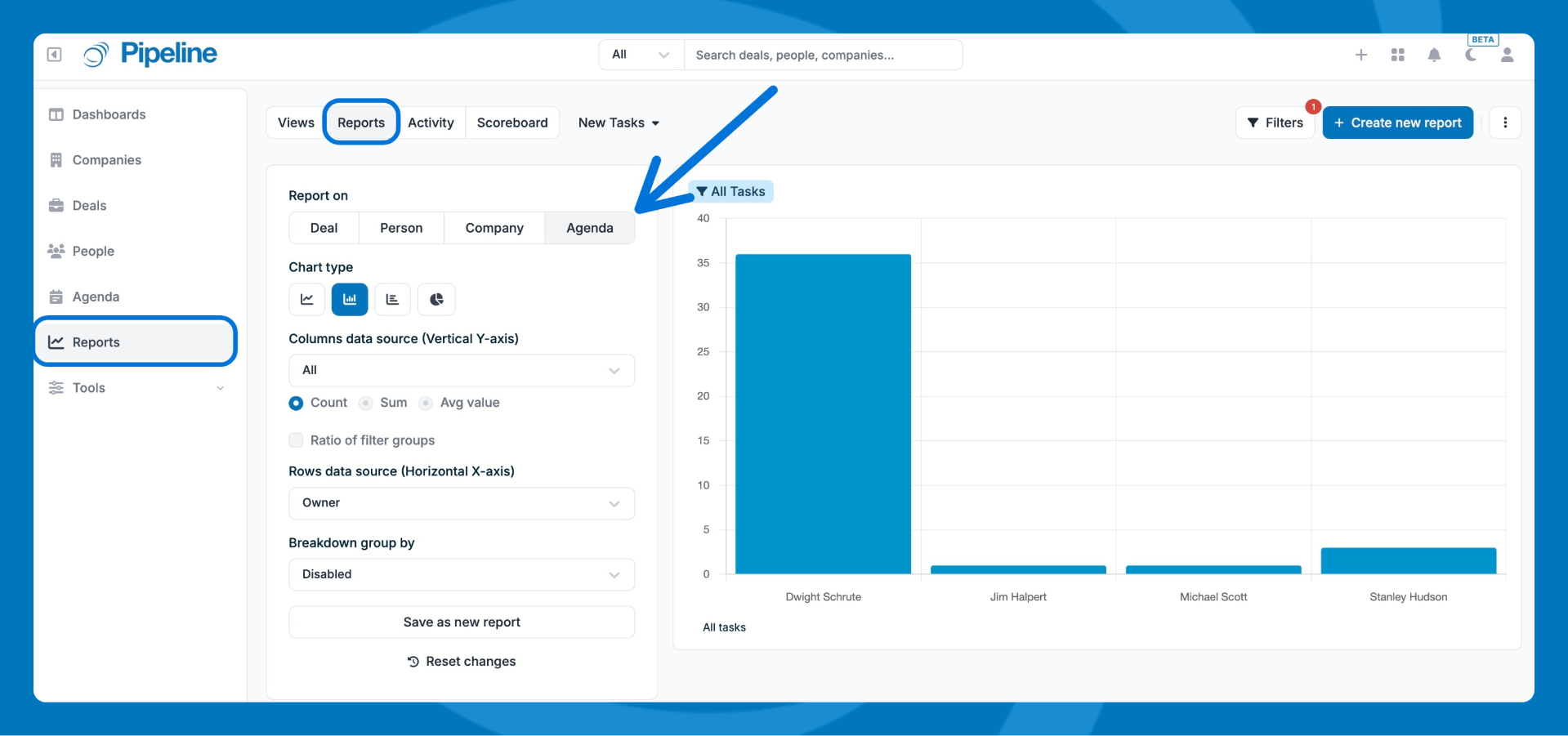
- Go to Reports and select the Agenda section.
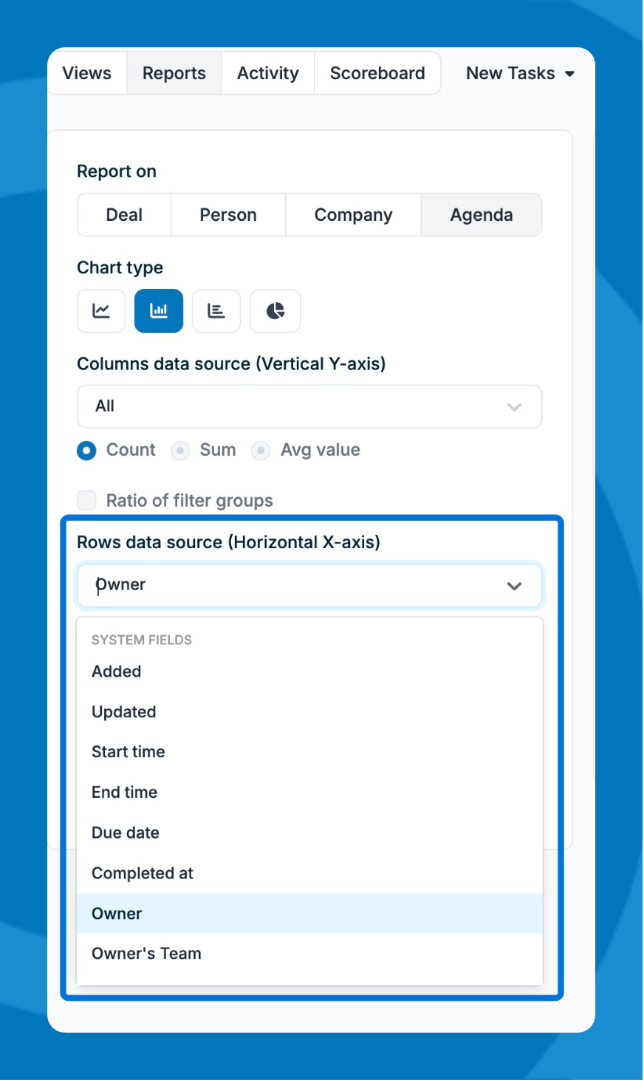
- Set the data source (horizontal x-axis) and select the available options, such as due date or owner.
- Grouping:
- If you select a date field, select a data range and date grouping(day, weeks, months, years)
- Use the Breakdown options to slice the data.
- Click any bar in the chart to drill down into individual tasks for that period.
- Click Save to save the report, then add it to your views or schedule it for regular delivery.
⚠️ Note: Agenda reports show a snapshot of current data. They don't track how individual tasks transitioned from open to closed over time.
Need help? Contact support at [email protected].