

Steps:
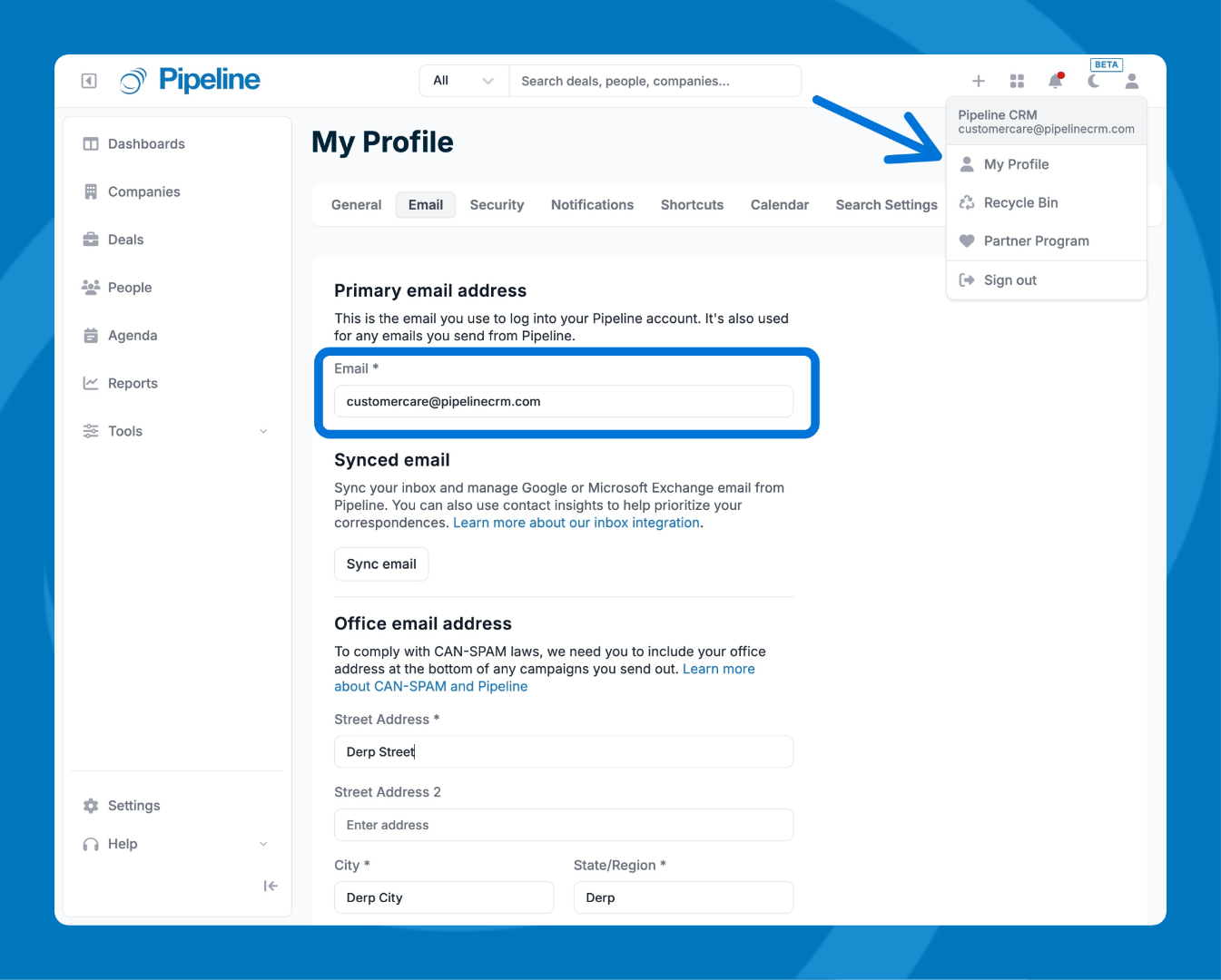
- Click the Profile icon in the top right corner and select My Profile.
- Select the Email tab.
- Click into the Primary Email Address field and type your new email address.
- Click Save changes.
- Your new email address must be unique—it cannot already be associated with another Pipeline CRM account.
- If you use Email Sync, the email you sync must match the Primary Email Address in order for it to work.
- If you see an error that the email is already taken, check the Other Email Addresses section and delete that email from there, or contact Support for assistance.