

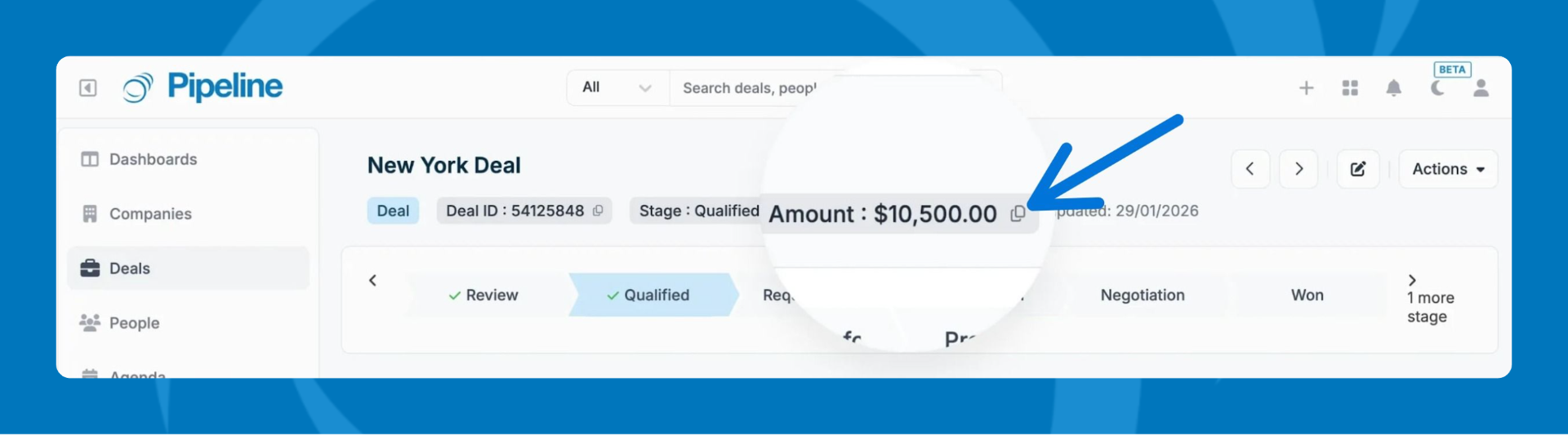
Profile Badge Fields replace the default record ID with meaningful fields on Company, Person, and Deal profiles. Key identifiers—like job numbers, quote IDs, or account codes—always stay visible at the top of the page and can be copied to your clipboard with a single click.
What You Can Do with Profile Badges
- Display up to 3 fields per record type (Company, Person, Deal) in the profile header
- Click any badge to instantly copy the value to your clipboard
- Use numeric, currency, calculated, date, and dropdown field types
- Keep critical identifiers visible regardless of scroll position
Before You Start
- You must have Admin permissions
- The fields you want to display must already exist in your Pipeline CRM account
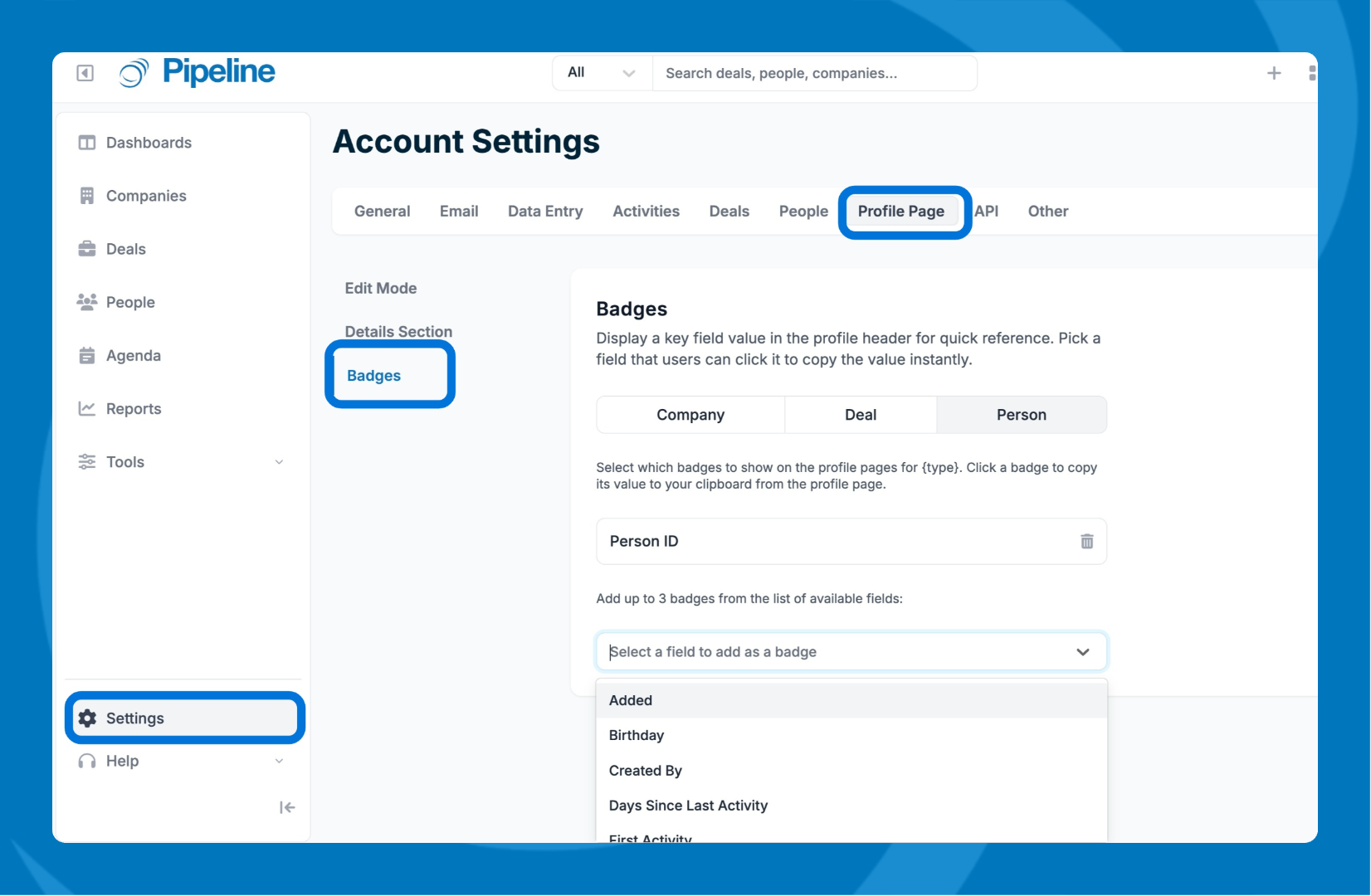
- Go to Settings > Profile Page > Badges.
- Select the record type.
- In the dropdown, select the fields you wish to add as badges.
- Only numeric, currency, calculated, date, and dropdown field types are available for badges.
Need help? Contact support at [email protected].