

Steps:
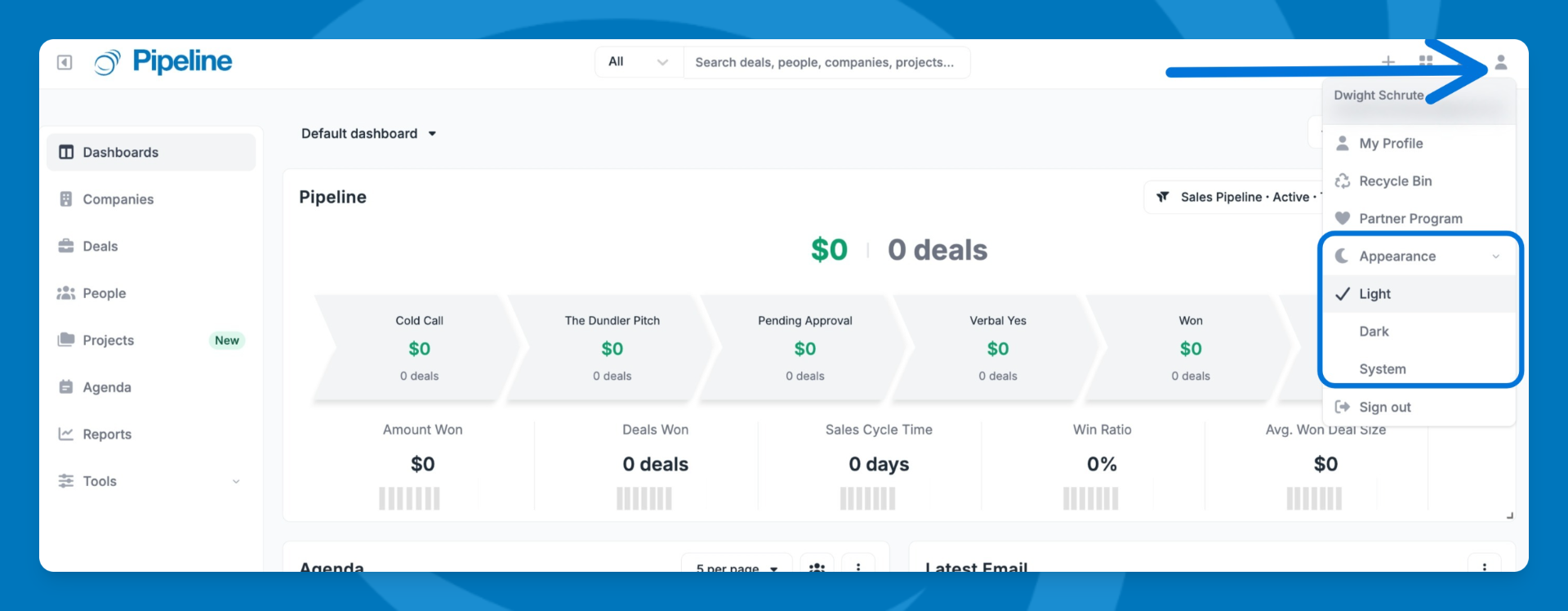
- Click your avatar in the top-right corner of the app.
- Select Appearance.
- Choose your preferred theme:
- Light — Standard light interface.
- Dark — Dark interface to reduce eye strain.
- System — Automatically matches your device's OS theme and updates if your OS switches.
💡 Tip: Appearance is a per-user setting — your choice only affects your account and won't change what your teammates see.
⚠️ Note: If your browser can't detect your device's theme, System defaults to Light.
Need help? Contact support at [email protected].