

How to Start a Challenge
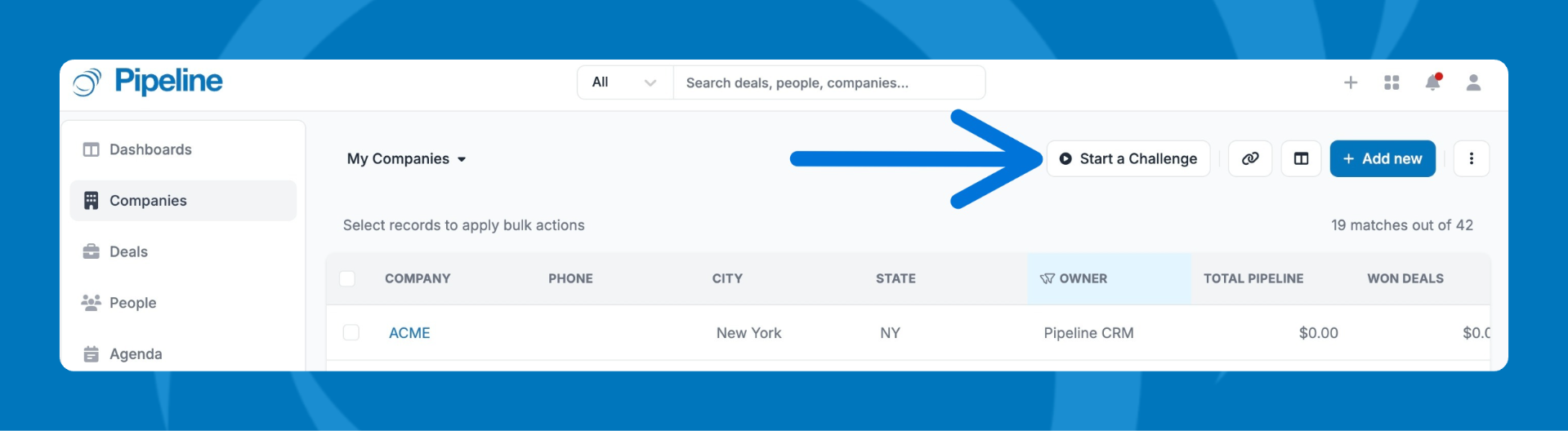
Find the Start a Challenge ButtonIn the List Views for companies, deals, people, or agenda, click Start a Challenge.
Set Challenge Criteria
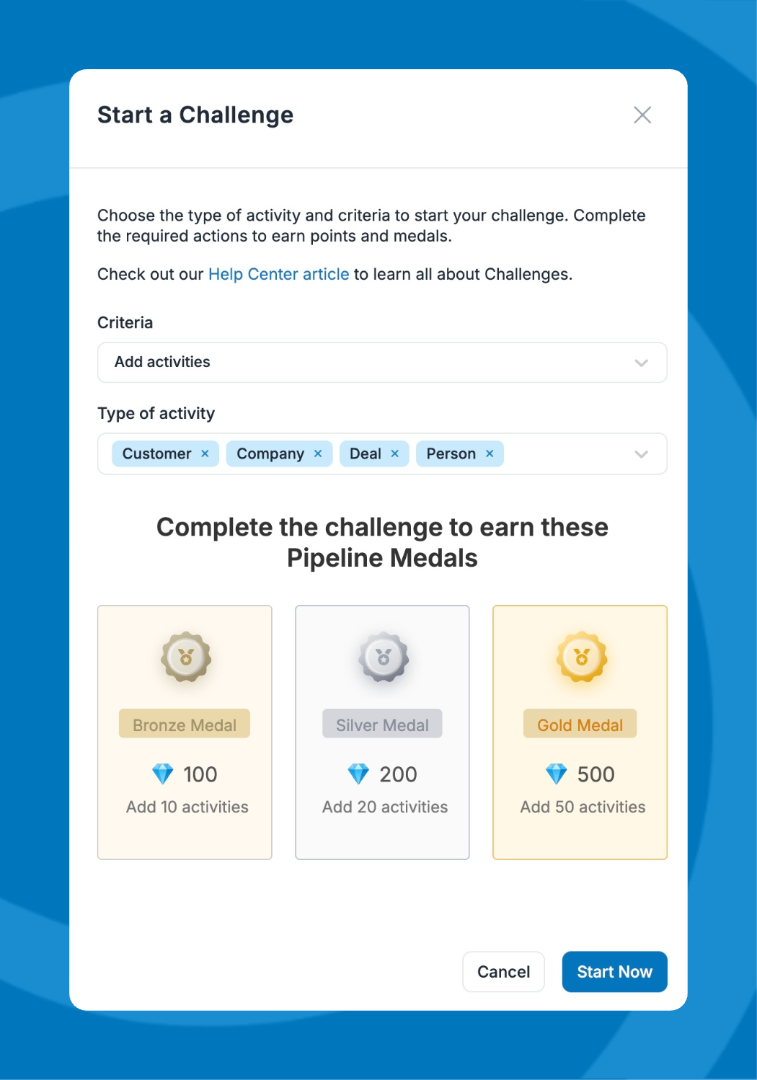
A modal will appear. Select the criteria for your challenge, such as:
- Adding activities
- Finishing tasks
- Updating deal stages
- Custom fields
- Note: Some criteria, like updating deal stages, are specific to deals. Others, such as updating details, apply to companies, people, and deals.
Complete Tasks and Earn Rewards
- Finish tasks based on your chosen criteria.
- Earn Medals (Bronze, Silver, Gold) and diamonds for your progress.
- More activities = higher-level medals and bigger rewards.
- Watch your progress bar at the bottom of the screen.
- Minimize the bar by clicking the icon on the top left; it will then move to the bottom right when minimized.
- Maximize it again by clicking the icon in the top right corner.

Check the Leaderboard
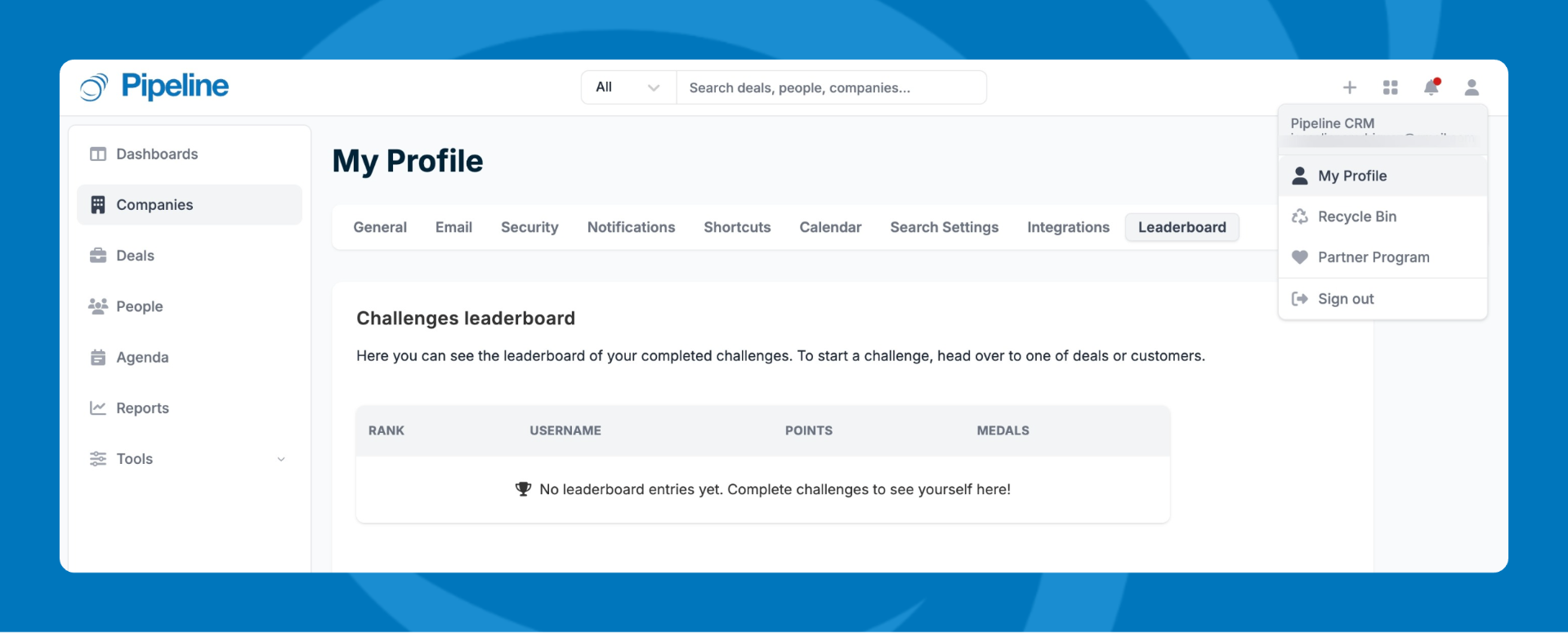
- Go to My Profile > Leaderboard to see team rankings, medals, and total diamonds.
Quitting a Challenge
You can quit anytime. You’ll see the medal you’ve earned so far.
Time Limit
Each challenge lasts about 30 minutes. Try to complete tasks within this window.
Concluding a Challenge
When the challenge ends or time runs out, you’ll receive a medal based on your completed tasks.
Need help? Contact support at [email protected].