Pipeline CRM Help Center
Latest Releases 🚀
Coming Soon
Go to your Pipeline
Pipeline CRM Help Center
Search for any help questions or topics.
Pipeline CRM Help Center
Getting Started
Morning Coffee Report
Morning Coffee Report
Maria Herrell
Updated 4 months ago
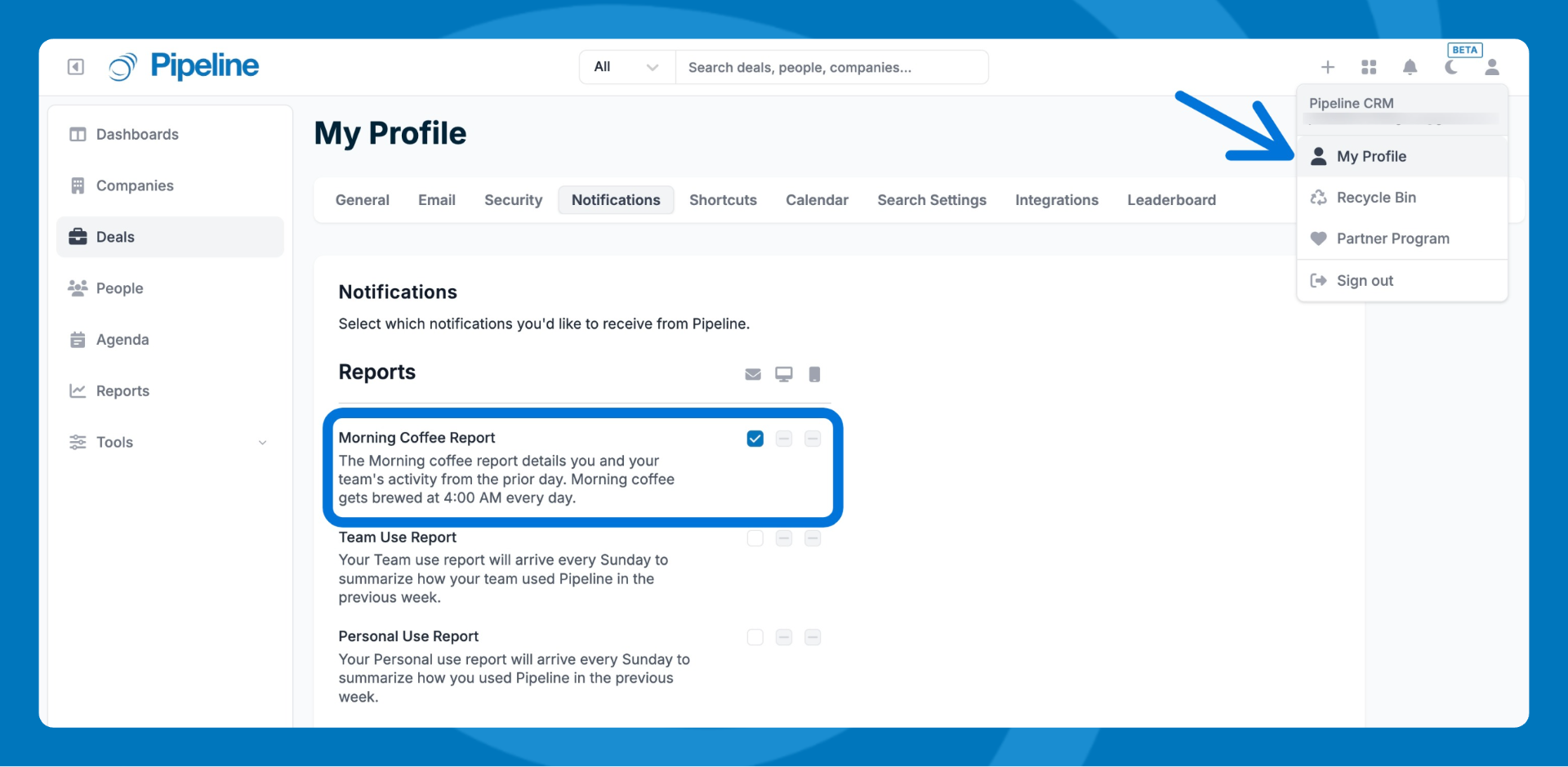
Get a daily email summary of your team's activity from the previous day.
Go to My
Profile > Notifications
.
Click to check the Morning Coffee Report on or off.
The Morning Coffee Report is generated daily at 4:00 am local time and covers activity from the previous day.
Need help?
Contact support at
[email protected]
.
Did this answer your question?
😞
😐
😃