

- Go to the Email tab.
- Navigate to the Recipients section.
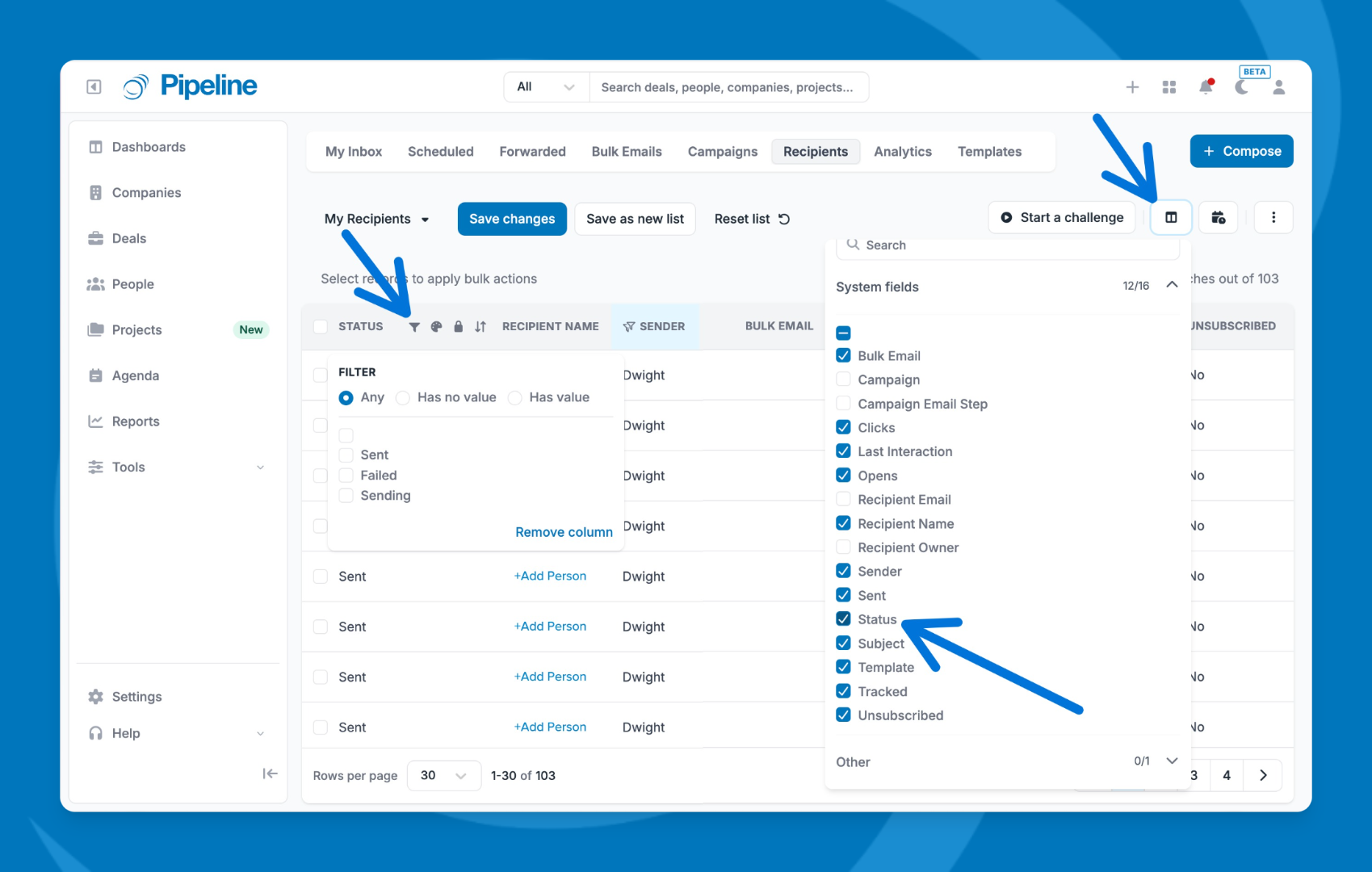
- Add the Status column to your view.
- Review the status for each email:
- Sent — the email was delivered successfully
- Sending — the email is still in progress
- Failed — the email could not be delivered
⚠️ Note: Pipeline CRM attempts to send an email up to 8 times before marking it as failed. Failed emails are typically caused by strict server settings on the recipient's end.
Need help? Contact support at [email protected].