
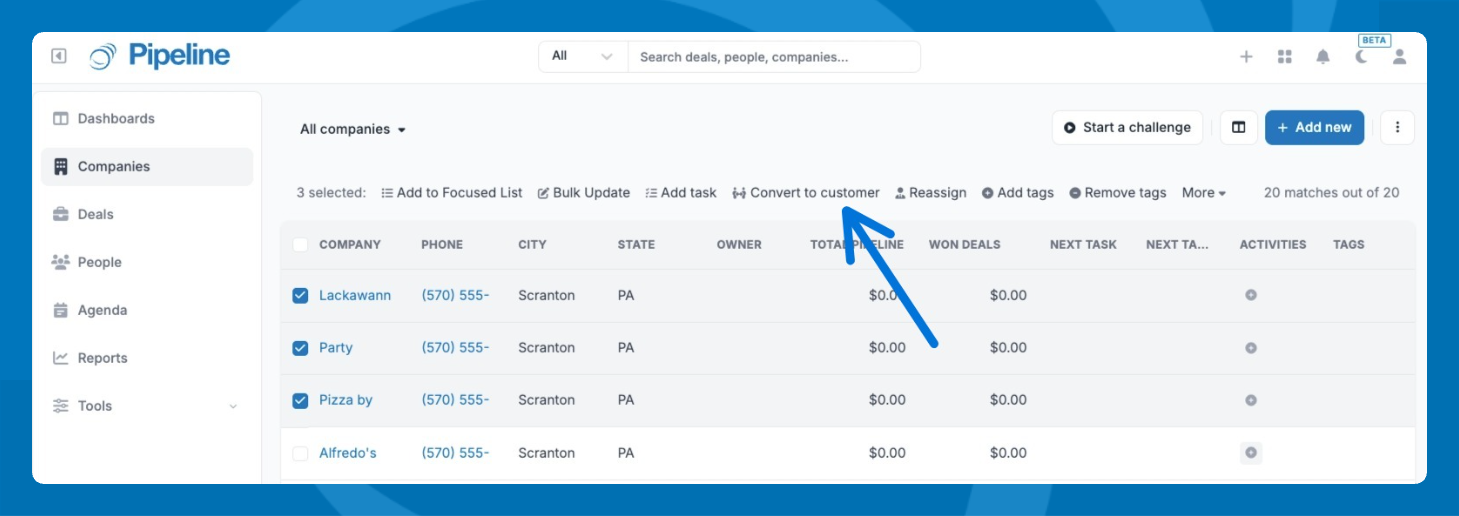
- Go to the Company section.
- Check the box next to each company you want to convert.
- Click Convert to customer in the toolbar that appears above the list.
- Confirm the action when the confirmation message appears.
Convert Companies to Customers in Bulk

Maria Herrell
Updated 4 months ago
Select multiple companies and convert them to customers in just a few clicks.
Did this answer your question?
😞
😐
😃