

- Go to the Companies tab.
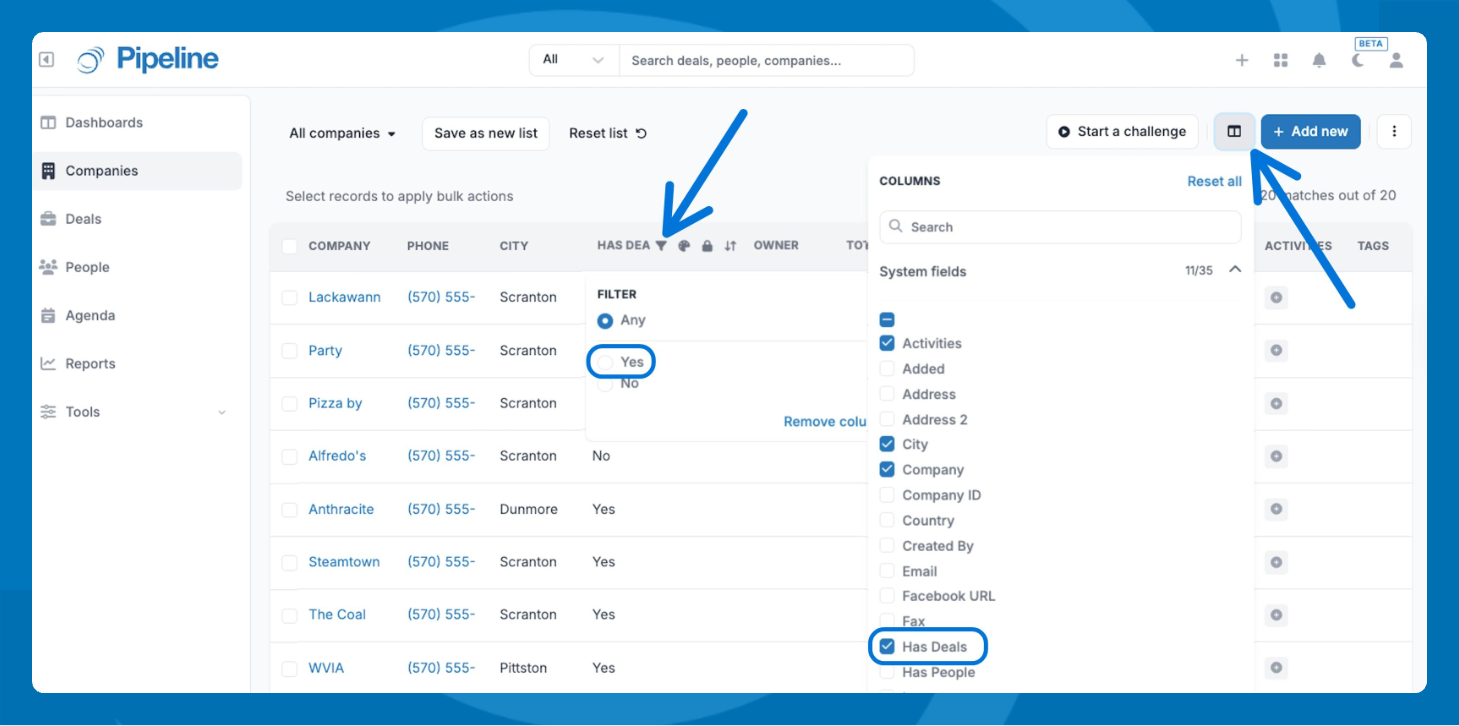
- Add the Has Deals column to your list view by clicking the Columns icon.
- Click the Has Deals column header to open the filter.
- Select No to display only companies with no deals attached.
💡 Tip: Save this filtered view so you can revisit it without repeating the setup.
Need help? Contact support at [email protected].