

⚠️ Note: Only admins can delete companies. If you don't see the delete option, contact your administrator.
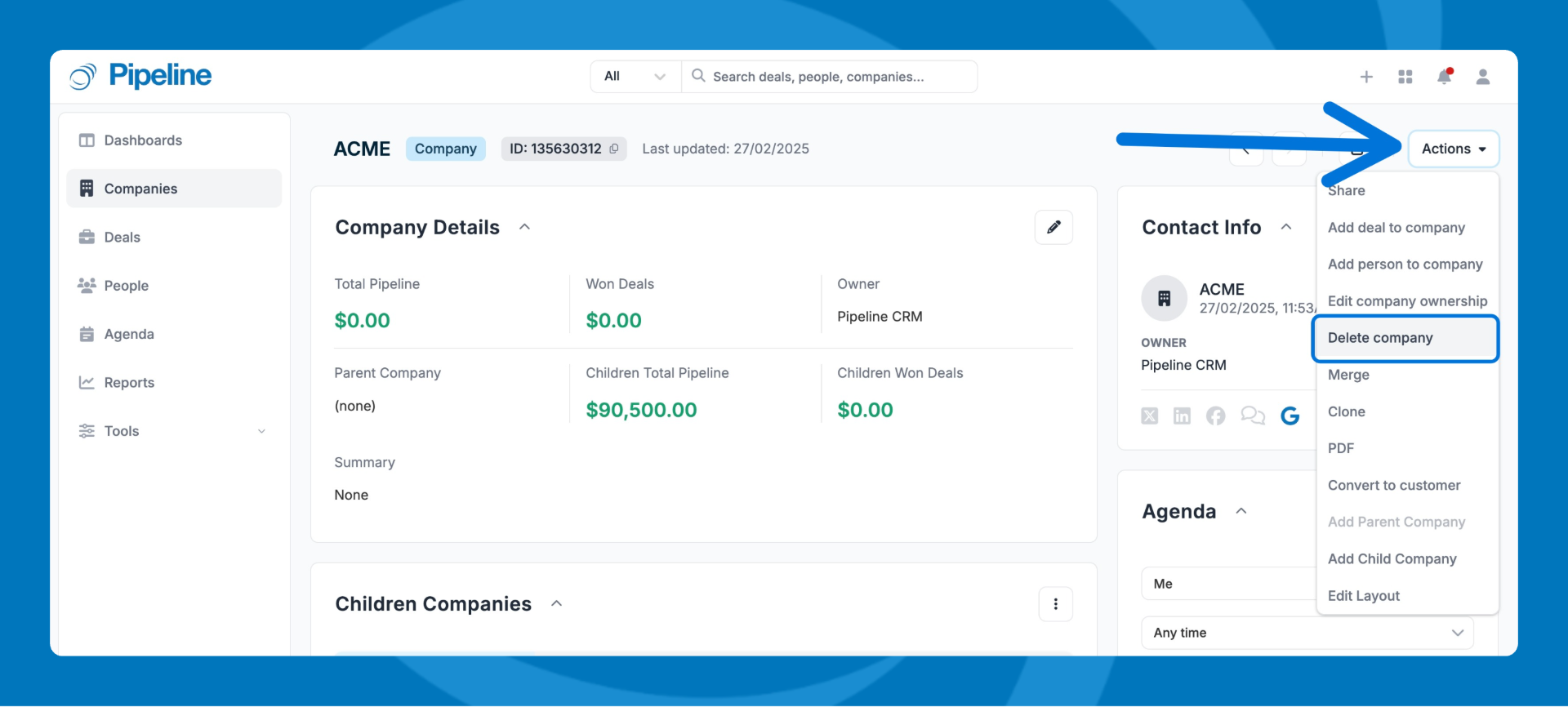
Option 1: Delete from the company profile
- Open the company's profile page.
- Click Actions.
- Select Delete
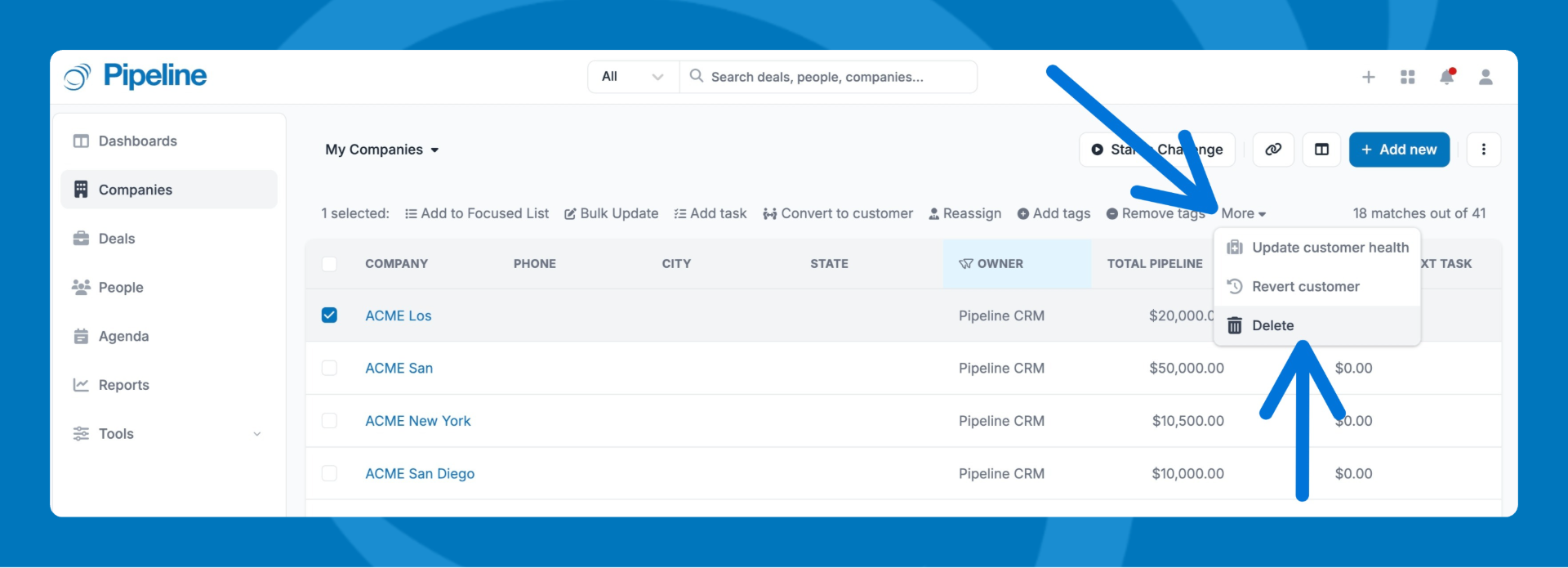
Option 2: Delete from the Companies list
- Go to Companies.
- Check the box next to the company you want to remove.
- Click More > Delete.
Need help? Contact support at [email protected].